Business Solutions

Virtual Tech — Faster service, Fewer delays

VirtualTech

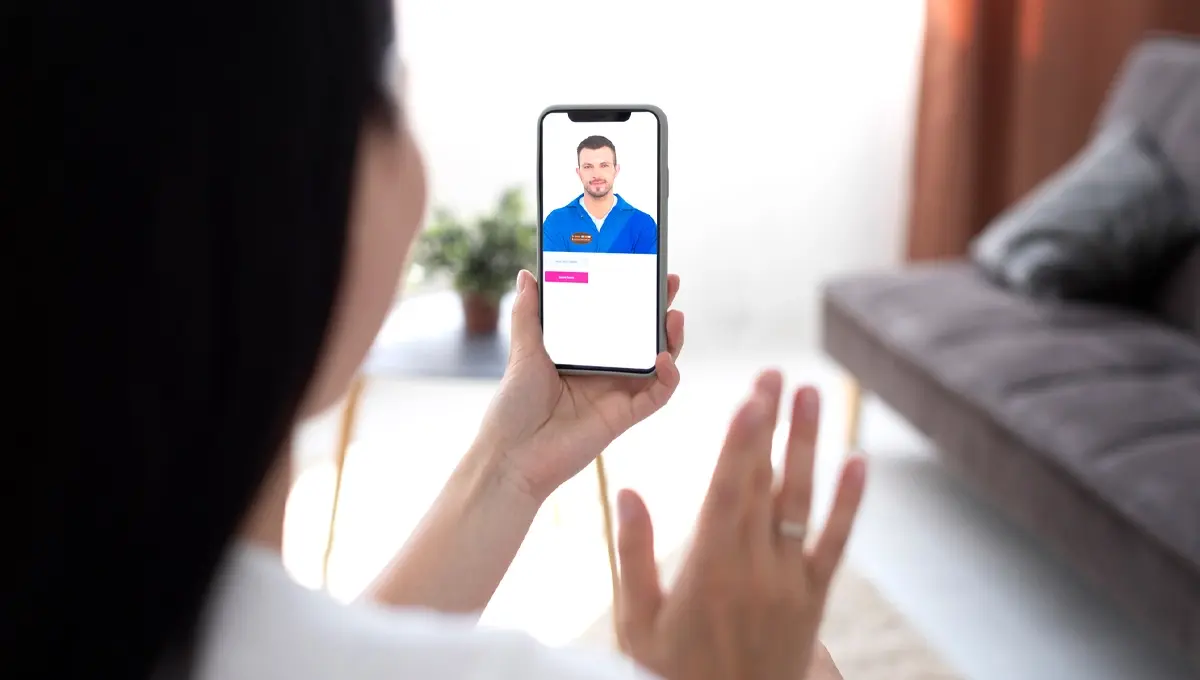
TCFS has been transforming how retailers and manufacturers handle furniture service. Our Virtual Tech platform, powered by Service Technologies, replaces slow, costly in-home inspections with live virtual visits — most sessions last just 6 to 7 minutes, getting your customers back on track the same day.

The problem we solve For you

Traditional service inspections take 7–10 days from first contact to diagnosis — leaving customers frustrated and your team managing escalations. Virtual Tech cuts costs by over 50% and reduces turnaround time by 80%, with most issues resolved or triaged in a single short video session

Less waiting. Less back-and-forth. Fewer truck rolls for issues that don't need them

6 – 7 min

Avg. virtual visit duration

50
Reduction in service costs
80
Faster turnaround time
How it Works
1. Customer contacts you

Your rep troubleshoots the issue, assesses the damage, confirms coverage eligibility, and determines whether a virtual visit is the right next step

2. Send the link — they're connected instantly

A text message delivers a secure video link directly to the customer. A live TCFS technician joins the call, views the damage in real time, and guides the session — typically wrapping up in just 6 to 7 minutes

3. Fast resolution — three clear outcomes

The technician closes the claim on the spot if resolved, dispatches a tech with a clear brief if repair is needed, or orders parts first to prevent wasted visits — along with a detailed report back to your team

Why retailers & Manufacturers Choose Virtual Tech
  • Dramatically reduced service timelines protect your customer relationships and brand reputation
  • Over 50% reduction in service costs and 80% faster turnaround — with no drop in quality
  • Detailed documentation and reporting gives you clear visibility on every claim outcome
  • A proven, mature platform — battle-tested over three years of real-world virtual service delivery
What customers say — by the Numbers
99
Found the technician knowledgeable and professional

98.26
Had a favorable opinion of the Virtual Tech program

95
Found the experience easy and convenient

Hear it from Our customers
image testerminal
quote icon background
image testerminal
quote icon background
image testerminal
quote icon background
image testerminal
quote icon background
Virtual Visit FAQ's

So, what exactly is a virtual visit?

Think of it like a video call with a furniture technician. You’ll use your phone’s camera to show us the
item, describe what’s going on, and we’ll diagnose the problem right there on the call. No apps to
download, no accounts to create — just tap a link and you’re in.
Most visits take about 5 to 10 minutes, and by the end we’ll have a clear plan for getting your
furniture taken care of.

What are the few things to check before your appointment?

You have some time before your visit, so this is a great chance to make sure everything will go smoothly.
Here’s a quick checklist:

1. Use Chrome or Safari

These two browsers work best with our video platform. If your phone opens links in a different browser
(like Samsung Internet or DuckDuckGo), you may want to set Chrome or Safari as your default ahead of
time — or just copy and paste the link into Chrome or Safari when the time comes.

2. Make sure your camera and microphone are allowed

Your browser needs permission to use your camera and mic. The easiest way to check is to open your
browser settings now and confirm they’re set to “Allow” or “Ask” (not “Deny”). We have step-by-step
links for each phone type at the bottom of this page.
This is the number one reason customers have trouble connecting, so checking this ahead of time really
helps.

3. Find a good spot near your furniture

When it’s time for your visit, try to be in a well-lit area near the furniture item. Natural light or a room light
works great. The better we can see the item, the faster we can figure out what’s going on.

4. Have a stable internet connection

WiFi usually works well, but if your video is choppy or won’t connect, switching to cellular data (turning
WiFi off) is a quick fix that works more often than you might think.


What should I do when it's time to join?

On the day of your appointment, we’ll send you a text with a link. Here’s what to expect:

1. Tap the link

It will open right in your browser — no app needed. If the page spins or seems stuck, just tap the link a
second time. That usually does the trick.

2. Tap “Allow” when asked

Your browser will ask to use your camera and microphone. Tap “Allow” for both. If you already checked
your settings using the steps above, this should go right through.

3. Accept the short disclosure

There’s a quick disclosure page before you enter the room. Just read through it and tap to accept.

4. Say hello

That’s it — you’re in the room. Your technician will greet you and walk you through everything. Just point
your camera at the furniture and we’ll take it from there.

⚠️ Heads up — iPhone 17 and newer
These phones ship with a privacy feature called iCloud Private Relay turned on by default. It can
sometimes block video calls over WiFi. If you run into trouble connecting, just turn it off temporarily:
Settings > [Your Name] > iCloud > Private Relay > toggle off
You can turn it right back on after your visit

Need help with settings? We've got you

If you want to double-check your camera and microphone settings before your appointment, use the guide
that matches your phone:

📱 iPhone / iPad (Safari)

  • How to allow camera & microphone in Safari
  • How to turn off iCloud Private Relay (iPhone 17 / iOS 26+)

📱 Android Phone / Tablet (Chrome)

  • How to allow camera & microphone in Chrome
  • How to change app permissions on Android